From page to table
Pick a document. Watch or scrub the five steps. Then click any cell to see the crop it came from.
DPI means dots per inch: how sharp a scan is. OCR is software that reads printed text from a picture.
Choose a sample document
Three samples are images, so OCR reads them. The 100% for spec sheets on the case page is for original PDFs.
Step 5 of 5Check and exportEach cell gets a type and a confidence. Then the Excel file is written.
The page
Spec sheet (image)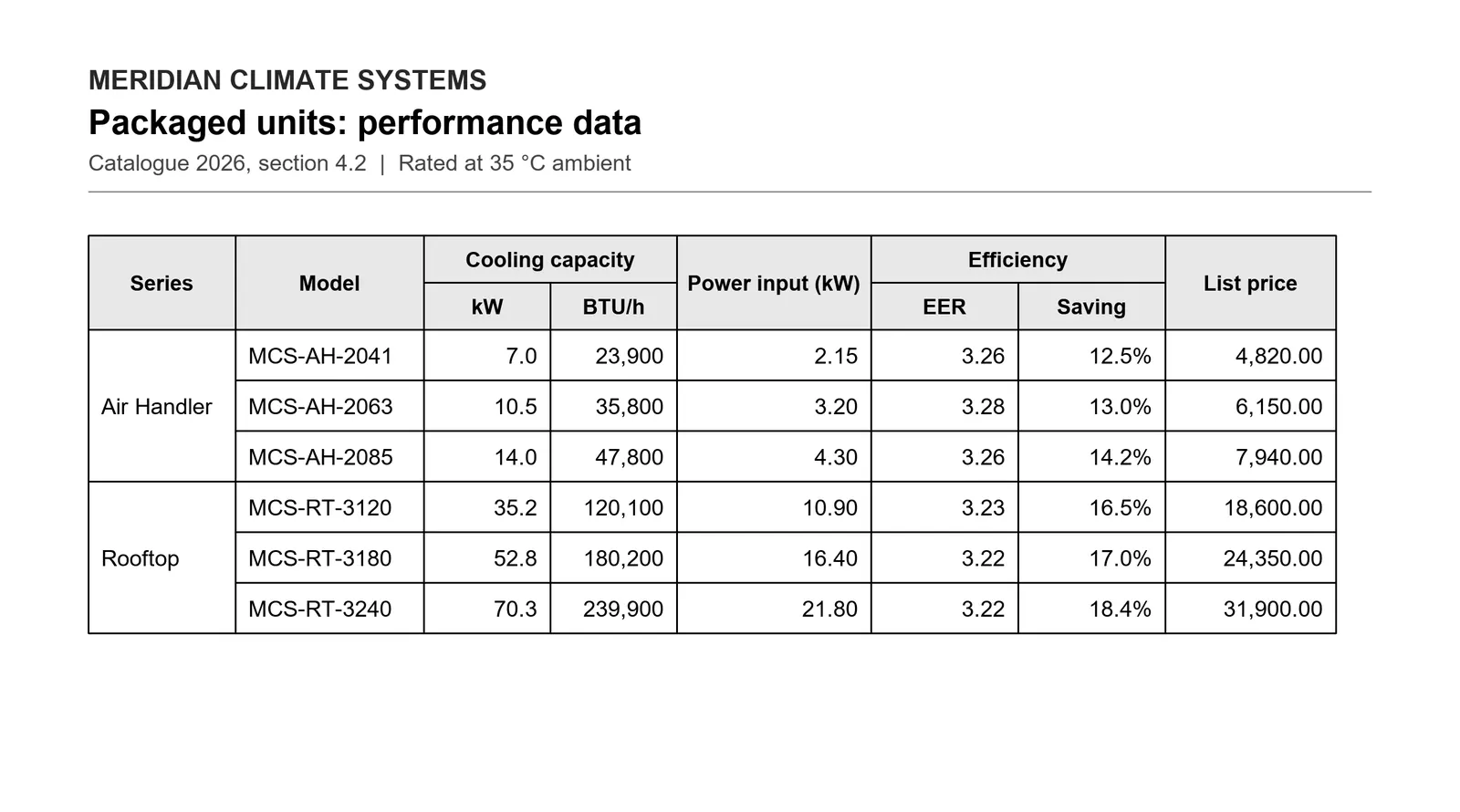
The table
4 of 64 cells differ from the answer key. They were read with high confidence, so the confidence check does not catch them. Confidence measures the reading, not the table shape.
| A | B | C | D | E | F | G | H | |
|---|---|---|---|---|---|---|---|---|
| 1 | ||||||||
| 2 | ||||||||
| 3 | ||||||||
| 4 | ||||||||
| 5 | ||||||||
| 6 | ||||||||
| 7 | ||||||||
| 8 |
The table appears here once the grid is found.
- Confident
- Below 85%: check 0
- Below 60%: check first 0
- Differs from the answer key 4
Click any cell to see the crop it was read from.
Scored against the answer key
- Every number matches
- Rows and columns: right
The 4 misses are the two-column group headers "Cooling capacity" and "Efficiency". Each was split across its two sub-columns instead of merged. Every model code and number is right.
- Read asImage, read by OCR
- 8 rows × 8 columns
- 11.8 s to extractIncludes loading the OCR models once.
Same tool, real documents
On a real manufacturer catalog page, it got 100% of cells right from the original PDF and 96.7% from an office copier scan.
Read the case